
How to organize an event company: from a spreadsheet to one system
How an event production company moved from one Excel file of clients, dates and cash to a single system, and how an event runs in EventOps today.
 Juan Ignacio De los SantosCo-founder · Engineering and product
Published on 9 min read
If you run a sound, lighting or event company, Excel is often enough at the start: dates, clients and cash in one file. You still have to quote, set up, collect the deposit and know who is going.
This post covers how one event production company left that spreadsheet for a single system, and how an event runs in EventOps today.
What falls apart when everything lives in Excel
An event production company arrived with no calendar. Clients, dates and cash flow all sat in one Excel file.
From that base, everything the trade needs hangs off the same sheet:
- The site visit, the setup, the event and the teardown have to be read between rows, because there is no calendar of their own.
- A date that overlaps another one has to be spotted by eye before you confirm.
- The crew for setup and teardown is not tied to that date, and the pay is calculated separately.
- The deposit and what is still owed get mixed in with the rest of the numbers.
- The quote is built in another file and sent to the client by hand.
If the quote still lives in another file, you can download a free event budget template (opens in a new tab) (in Spanish) as Excel and PDF.
How EventOps started
EventOps started with a specific request: an event production company asked us to quote a calendar, a client list and cash flow. While building it we saw that every sound, lighting and event company has the same problem, so we turned it into our own product, now in production. For sound and lighting, the site visit, setup and teardown are in the system for sound and lighting companies (opens in a new tab) (in Spanish).
The calendar was the visible part. What had to be modeled was crew pay, and the money of each event, which in the spreadsheet was mixed in with everything else.
What an event looks like on the calendar
Today the event is entered once. Related dates are added and they all show up on the calendar. If two dates overlap in time, EventOps warns you before you confirm.
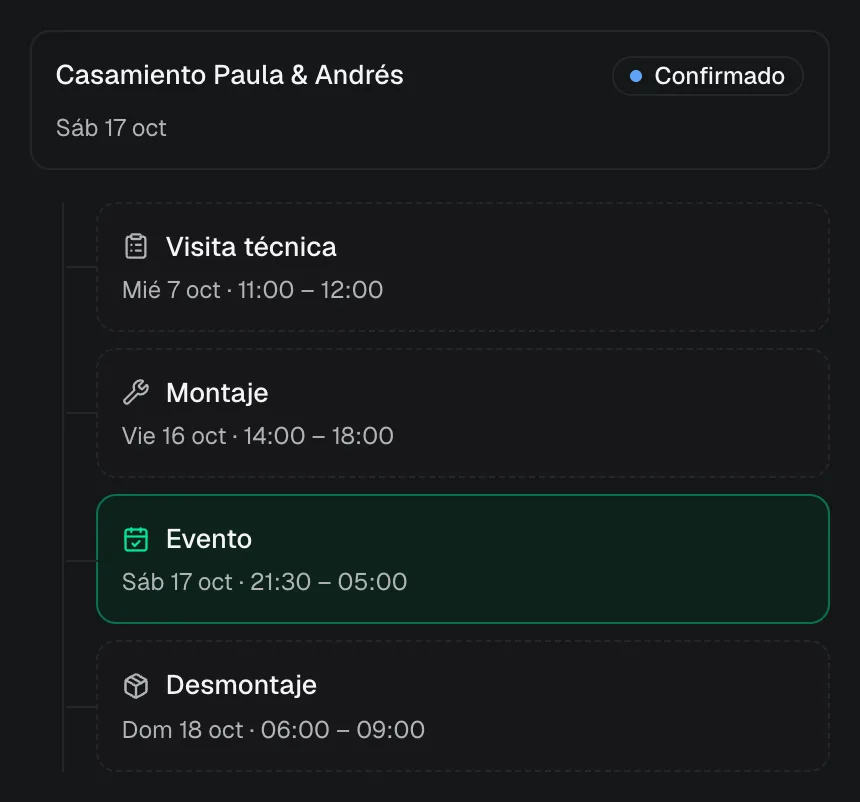
- Related dates. A meeting, a sound check or another date can be added alongside the site visit, the setup and the teardown.
- Statuses. Quote, reserved with a deposit, confirmed, done and cancelled. Each one has its own color on the grid.
- Views. Month, week, day or agenda. To reschedule, you drag the event to another day.
Crew cost: setup, teardown and extra hours
The hardest part was crew cost. This company paid per setup and per teardown, and sometimes paid more when the hours ran over.
In EventOps each role has a fixed amount per stage (setup, teardown or site visit) or an hourly rate. When you assign someone, the amount fills in on its own. To see how the crew for each date comes together, check out staff management for events (opens in a new tab) (in Spanish).
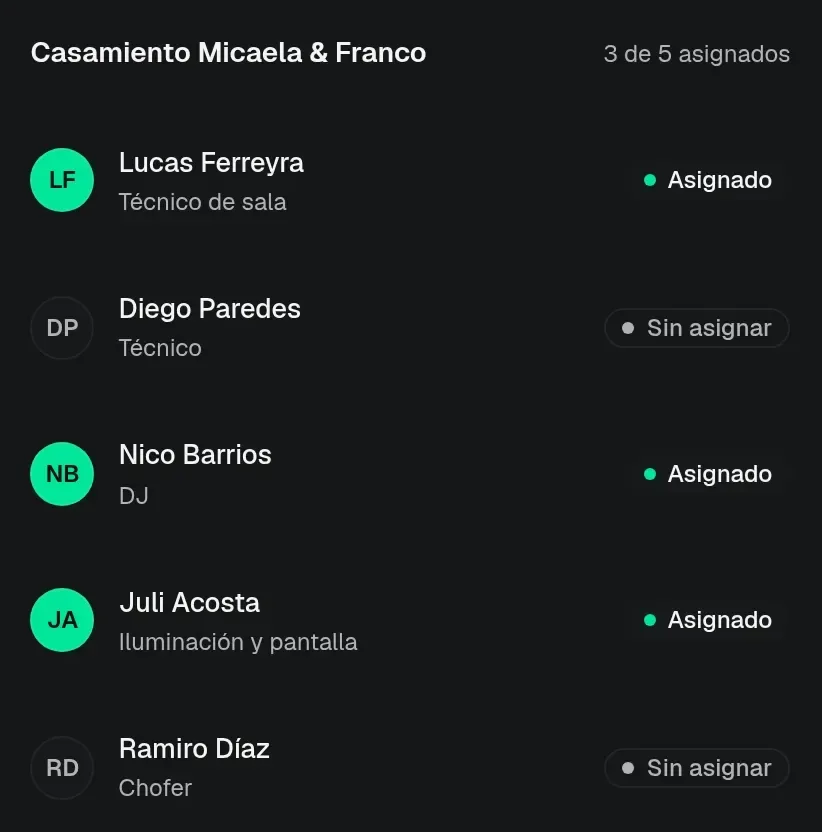
- Assignment by date. Each person comes in with a role: technician, DJ, lighting or driver.
- Who is free. Before you add someone, you can see if they already have another date that day.
- Pay per stage or per hour. The fixed amount covers setup or teardown. The hourly rate covers it when the time runs long.
The quote comes out as a PDF
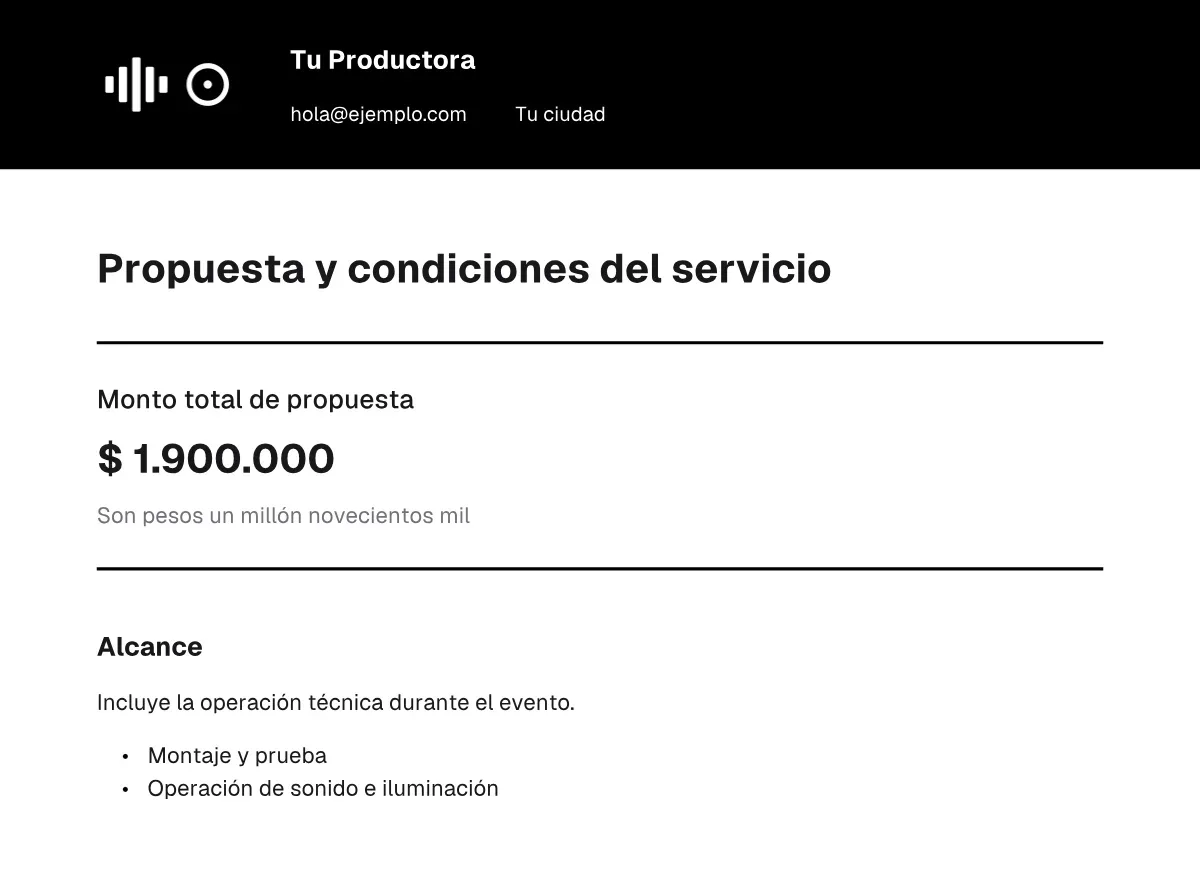
The quote is built from the event, using services from your list. The total calculates itself. The PDF downloads with your logo, ready to send on WhatsApp or by email. How to build those line items for sound and lighting, from gear and crew to freight and the deposit, is in how to budget a sound and lighting event (opens in a new tab) (in Spanish).
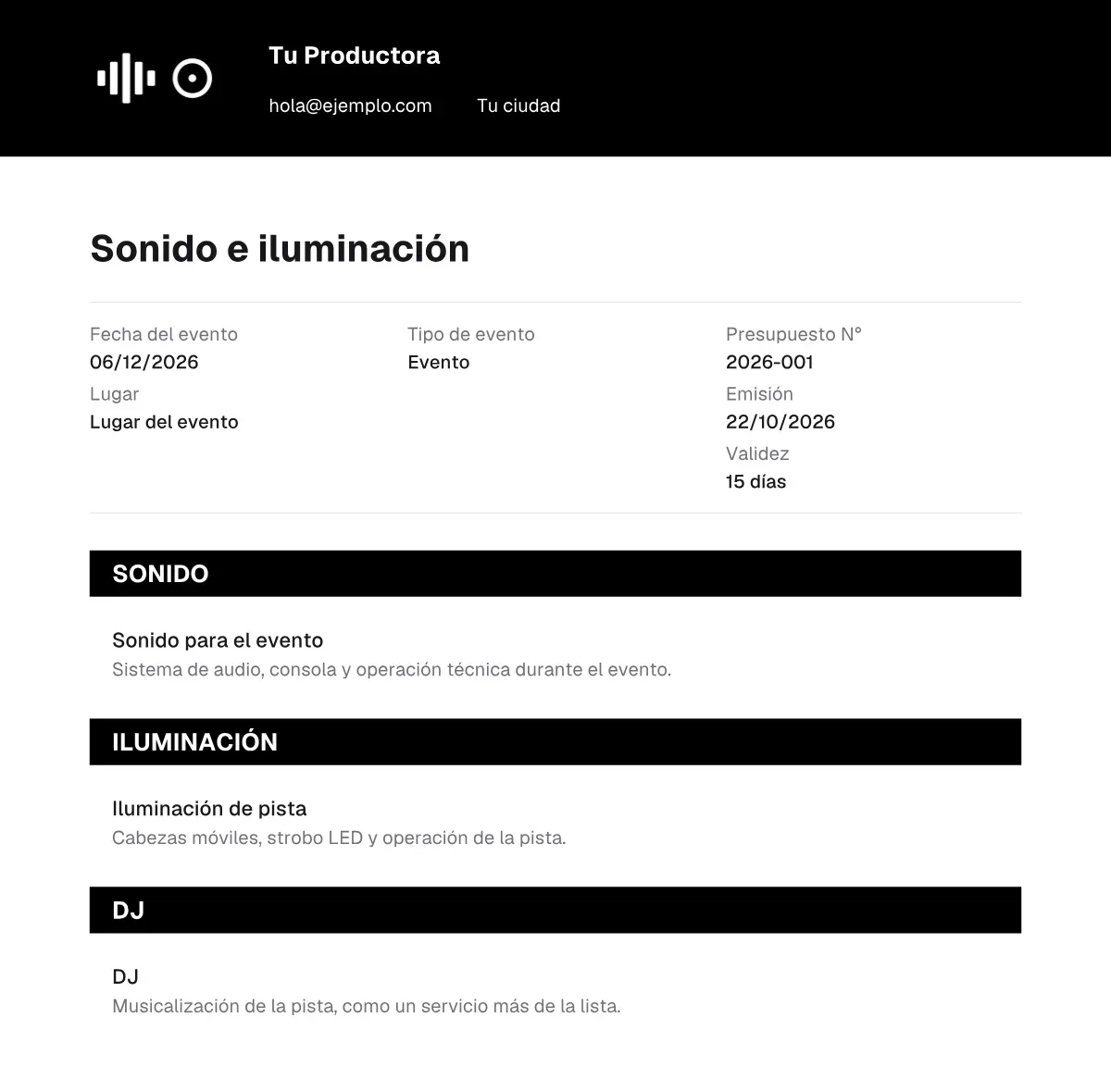
- From the catalog. Each service brings a name, what it includes, a base price and a unit: per event, per day, per hour or per unit.
- Adjustments. You can change the quantity and the price, add a free item and apply a discount or a surcharge.
- Pesos or dollars. The quote is in ARS or USD. If the event already has payments, the currency stays fixed.
- PDF with your logo. A quote for the client, a proforma, a setup sheet and a receipt for each payment. The invoice is issued separately: these PDFs have no tax validity.
Deposits, expenses and the month in numbers
From the total you collect a deposit and split the balance into the installments you agree, in pesos or in dollars. Each payment is marked, you can see what is left, and the receipt comes out as a PDF.
Crew, equipment rental and supplies go on the event or stay as a general expense. The month shows income, expenses and net, with pesos and dollars kept apart. Movements can be exported to CSV.
Excel or a system: what changes in each part
Part by part, here is what changes when you move from the spreadsheet to a system.
| Excel and a system: calendar, crew, deposits, quotes and cash | In Excel | In a system |
|---|---|---|
| Calendar | Dates live in the same spreadsheet as clients and cash, or there is no calendar. | Site visit, setup, event and teardown are on the calendar, and it warns you if two dates overlap. |
| Pay for setup and teardown | The amount per stage and the extra hours are calculated by hand. | A fixed amount per stage or an hourly rate. When you assign someone, the pay fills in on its own. |
| Deposits | The deposit and the balance get mixed in with other numbers. | The deposit and the installments stay on the event, in pesos or in dollars. |
| Quotes | Built in another file and sent however you can. | Comes out as a PDF with your logo, from your services, with the total calculated. |
| Cash flow | Income and expenses for the month have to be rebuilt. | Event or general expenses, and the month in pesos and dollars kept apart. |
When EventOps fits as it is
EventOps fits as it is if you run events, you have crew to assign and you send quotes. There is a single plan, ARS 50,000 a month, with one free week.
If the operation is something else, such as stock, orders or appointments, that is built to fit.
- Events with site visit, setup and teardown on the same calendar.
- Crew in charge, with a role and pay per stage or per hour.
- Quotes as PDF, and a deposit or installments for the balance.
- The month's cash in pesos and in dollars, kept apart.
If those four describe how you work, start with the trial week.
Quick checklist
Go through this list before you add another sheet:
- Do dates, clients and cash live in the same Excel file?
- Do I pay setup and teardown per stage, and sometimes more when the hours run over?
- Do I build every quote by hand to send it on WhatsApp?
- Do I collect a deposit and installments, and not always know what each event still owes?
- Do I need to see who is free before I confirm a date?
- Is my work running events, with crew in charge and quotes for the client?
If several answers are yes, a system for this trade will do more than another sheet in the same file.
Frequently asked questions
It is enough while there are few dates and the same person always looks at them. When the calendar, the crew, the deposits and the quotes share the spreadsheet, a system makes sense: the event is entered once and the calendar, the PDF, the payments and the expenses come from that.
Is your event company still in Excel?
Tell us how you organize dates, crew and payments. We reply with scope and price in writing.
Tell us your problem